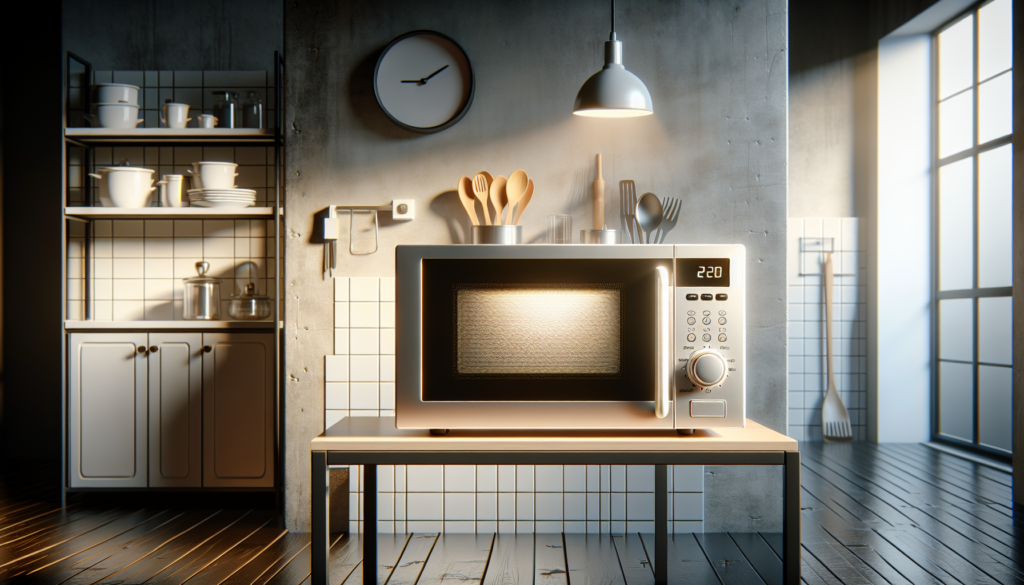
That satisfying hum of your microwave working perfectly gets interrupted when you notice your food rotating in slow motion—or worse, sitting completely still while the timer counts down. A non-spinning turntable doesn’t just create uneven heating; it can turn your quick lunch into a lukewarm disaster with hot spots that could burn your tongue and cold centers that leave you unsatisfied.
When your microwave turntable stops spinning, you’re usually dealing with one of three main culprits: a worn-out turntable motor, a broken drive coupling, or damaged roller guides. The good news? Most of these issues are surprisingly straightforward to diagnose and fix yourself, often saving you the cost of a service call or premature appliance replacement.
Understanding Your Microwave’s Turntable System

AI Generated image · DALL-E 3
Your microwave’s turntable system consists of several interconnected components working in harmony. The turntable motor sits beneath the microwave floor, typically mounted to the bottom panel. This small but crucial motor connects to a drive coupling—a plastic or rubber piece that transfers the motor’s rotation to the glass turntable.
The turntable itself rests on roller guides or wheels that allow smooth rotation around the microwave’s interior. When the microwave operates, the motor spins the drive coupling, which rotates the turntable at approximately 5-6 revolutions per minute.
Three main components can fail: • Turntable motor burnout or electrical failure • Drive coupling wear, cracking, or complete breakage • Roller guide damage or debris buildup • Support ring warping or misalignment
Understanding this system helps you pinpoint exactly where the problem lies. Start by observing whether the turntable attempts to move at all—this immediately tells you if the motor is receiving power.
Diagnosing the Root Cause

AI Generated image · DALL-E 3
Before diving into repairs, proper diagnosis saves time and prevents unnecessary part replacements. Always unplug your microwave before beginning any inspection—even basic troubleshooting can expose you to electrical hazards.
Visual inspection checklist: • Check if the turntable sits properly on its support ring • Look for cracks or damage in the glass turntable • Examine the drive coupling for visible wear or breakage • Inspect roller guides for debris or damage
Listen for diagnostic clues when you run the microwave empty for 10 seconds. A completely silent turntable area suggests motor failure. Grinding, clicking, or intermittent movement points to mechanical issues like worn couplings or damaged roller guides.
Test the turntable manually by gently rotating it by hand when the microwave is off. It should move smoothly without resistance or binding. Excessive resistance indicates mechanical obstruction or damaged components.
The key diagnostic step: remove the turntable and support ring, then look directly at the drive coupling. This small component should be intact and properly seated on the motor shaft.
Fixing Turntable Motor Problems

AI Generated image · DALL-E 3
Turntable motor failure typically manifests as complete silence when the microwave runs—no movement, no sound from the turntable area. These small synchronous motors can fail due to age, overheating, or electrical issues.
Motor replacement steps:
- Disconnect power and remove the microwave’s bottom panel or access cover
- Locate the turntable motor—usually a small cylindrical unit with two wire connections
- Test motor continuity using a multimeter across the terminals (should show 2000-4000 ohms)
- Disconnect the wire harness and remove mounting screws (typically 2-3 screws)
- Install the new motor ensuring proper alignment with the drive coupling
Critical safety warning: Never attempt motor replacement on a microwave that’s plugged in. The high-voltage capacitor can retain dangerous charge even when unplugged.
Most turntable motors cost $15-35 and are model-specific, so have your microwave’s model number ready when ordering. Installation typically takes 15-30 minutes with basic tools.
Check your work by reassembling everything and testing the turntable’s rotation before closing up the microwave completely.
Replacing Drive Coupling Components
The drive coupling bears the brunt of turntable operation stress, making it the most common failure point. These plastic or rubber components crack, wear down, or completely break after years of constant rotation cycles.
Drive coupling problems show these symptoms: • Intermittent turntable movement with grinding sounds • Turntable starts but stops mid-rotation • Visible cracks or missing pieces in the coupling • Turntable spins freely by hand but won’t engage when powered
Coupling replacement process:
- Remove the turntable and support ring to access the coupling
- Lift out the old coupling—it should pull straight up from the motor shaft
- Clean the motor shaft of any debris or old coupling residue
- Press the new coupling firmly onto the motor shaft until fully seated
- Test the fit by ensuring the turntable support ring sits level
Quality replacement couplings cost $8-20 and should match your microwave’s specifications exactly. Generic couplings often fail prematurely due to incorrect dimensions or inferior materials.
The coupling must fit snugly on the motor shaft while allowing the support ring to sit completely flat—any wobble indicates improper installation or an incorrect part.
Repairing Roller Guide Issues
Roller guides support the turntable’s weight while allowing smooth rotation. These small wheels or guides can accumulate debris, crack from heat exposure, or wear down from constant use.
Common roller guide problems: • Food debris causing binding or irregular movement • Cracked or broken wheels preventing smooth rotation • Warped support ring creating uneven weight distribution • Missing or displaced roller assemblies
Roller guide maintenance:
- Remove and wash the support ring in warm, soapy water
- Clean each roller guide thoroughly, removing all food particles and grease
- Inspect for cracks or excessive wear that would prevent smooth rolling
- Check roller alignment when reinstalling—they should be evenly spaced
- Test rotation by manually spinning the empty support ring
Replace individual roller guides if they’re cracked or no longer roll smoothly. Most sets cost $10-25 and include all necessary components for complete replacement.
Pro tip: Apply a tiny amount of food-safe lubricant to roller guide axles if they seem stiff—but never use petroleum-based products inside your microwave.
microwave not heating food properly
Proper roller guide function directly impacts heating evenness, so don’t skip this often-overlooked component during turntable repairs.
When to Call Professional Help
While turntable repairs are generally DIY-friendly, certain situations require professional expertise. High-voltage components in microwaves can be lethal, and some repairs involve accessing areas near the magnetron and power supply.
Call a professional if you encounter: • Electrical burning smells during operation • Sparking or arcing inside the microwave cavity • Multiple component failures requiring extensive disassembly • Error codes indicating control board or safety system problems • Any hesitation about electrical safety procedures
Safety red flags that require immediate professional attention: • Microwave operates with door open • Unusual sounds from the magnetron area • Display showing error codes after turntable repair • Any signs of high-voltage component damage
when to call appliance repair professional
Additionally, if your microwave is still under warranty, attempting DIY repairs might void coverage. Check warranty terms before beginning any repair work.
CPSC microwave safety guidelines
Remember: a $200 repair bill is always preferable to electrical injury or fire risk from improper repairs.
Frequently Asked Questions
Q: Why does my turntable start spinning then suddenly stop? This typically indicates a worn drive coupling that’s slipping under load. The coupling may appear intact but has internal damage preventing consistent engagement with the motor shaft.
Q: Can I use my microwave if the turntable doesn’t spin? While the microwave will heat food, uneven heating creates hot and cold spots that can be dangerous. It’s best to repair the turntable before continued use, especially for foods that need thorough heating.
Q: How long should a microwave turntable motor last? Most turntable motors last 8-12 years with normal use. Heavy usage, frequent cooking of messy foods, or power fluctuations can shorten motor life significantly.
Q: Is it worth replacing turntable parts on an old microwave? If your microwave is over 10 years old and the repair cost exceeds $100, replacement might be more economical. However, turntable repairs typically cost $20-50 in parts, making them worthwhile for most units.
Q: Why does my turntable make grinding noises but still spin? Grinding usually indicates debris in the roller guides, a worn drive coupling, or misaligned support components. Clean all parts thoroughly and inspect for wear before the problem worsens.
Book a Repair Today
Don’t let a non-spinning turntable turn every meal into a guessing game of hot and cold spots. While these repairs are often manageable for handy homeowners, complex electrical issues or safety concerns warrant professional expertise.
At Pros Fix Appliances, our certified technicians have the experience and tools to diagnose turntable problems quickly and implement lasting solutions. We stock common turntable components for most major brands, often completing repairs in a single visit.
Contact us today for fast, reliable microwave repair services. Our transparent pricing and satisfaction guarantee ensure you get your kitchen back to full functionality without breaking the bank. Schedule your appointment now—because life’s too short for unevenly heated leftovers.